Connect Google Classroom
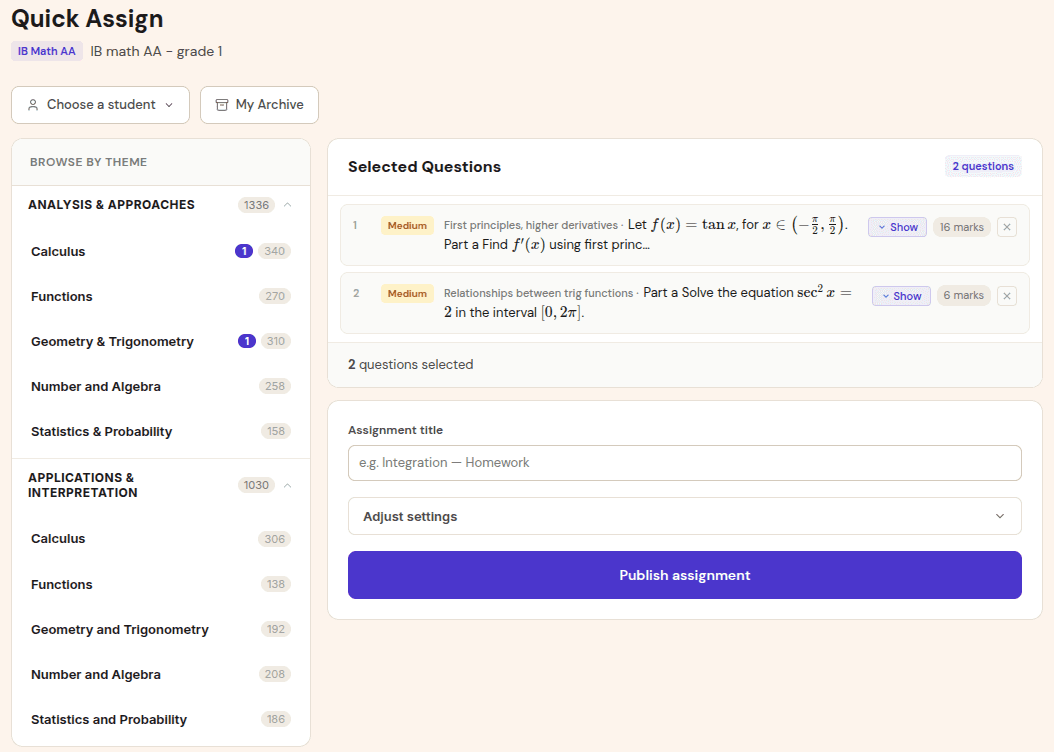
The teacher connects their Google account and chooses the Classroom course to sync with a Gradenza class.
Google Classroom sync
Google Classroom is where many schools already manage rosters and assignment links. Gradenza connects that workflow to math-specific AI grading, photo submissions, grading reports, mastery maps, and teacher-initiated grade writeback.
Audience
Use this workflow if your school already uses Google Classroom but still grades maths outside it.
IB Math teachers using Classroom streams for assignments.
Schools that want roster sync without re-entering students.
Teachers collecting handwritten work but posting tasks in Classroom.
Departments that need Classroom gradebook updates only after teacher review.
Workflow
Classroom handles roster and assignment distribution. Gradenza handles math submission, grading, review, and reporting.
The teacher connects their Google account and chooses the Classroom course to sync with a Gradenza class.
Students are matched by email where possible, reducing manual class setup.
A Gradenza assignment can be posted to the Classroom stream so students enter the submission flow from a familiar place.
After AI grading and teacher review, grades can be written back to Classroom as a teacher-initiated action.
Use cases
Classroom can stay the distribution layer while Gradenza handles math-specific grading.
Students open the Classroom assignment, follow the Gradenza link, and submit handwritten work for grading.
A teacher connects the Classroom course and reduces duplicate student setup in Gradenza.
After reviewing reports, the teacher chooses when grades are ready to send back to Classroom.
Benefits
Classroom is strong at distribution. Gradenza adds the math-specific grading layer Classroom does not provide.
Classroom sync helps keep Gradenza classes aligned with school rosters.
Students submit photos, PDFs, stylus exports, or Drive files instead of forcing typed answers.
Teachers decide when results are ready before writing grades back to Classroom.
Proof and trust
School integrations need clear data flow and final human control.
Grades are not automatically pushed to the Classroom gradebook when AI grading finishes.
Drive import and Google Docs export workflows sit naturally alongside Classroom use.
School admin workflows can expose which integrations are active and what data flows to external systems.
Related resources
Continue into the adjacent workflow instead of treating this page as a dead end.
FAQ
Yes. Teachers can connect Google Classroom and sync rosters into Gradenza classes.
No. Grade writeback is teacher-initiated after the grading report has been reviewed.
Yes. Classroom can distribute the assignment link, while Gradenza handles photo, PDF, stylus, or Drive submissions.
Next step
Connect one class, publish one assignment link, and review how math-specific grading reports fit your existing workflow.