Assign AI questions by topic
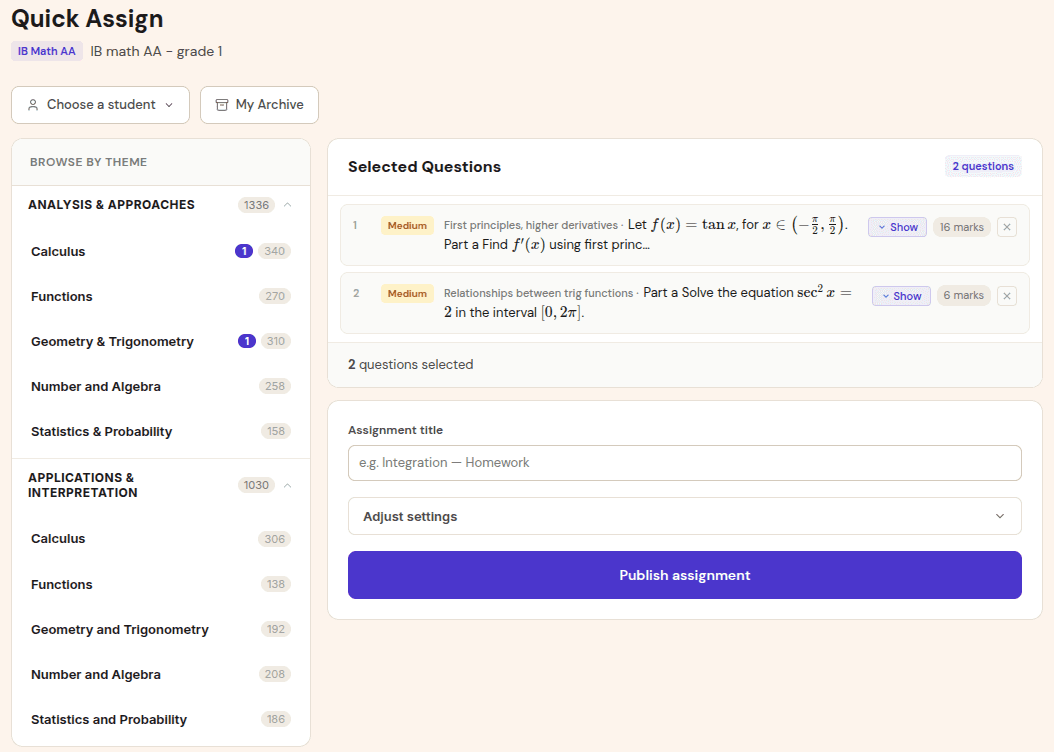
Choose an AI topic, subtopic, difficulty, and timing. Gradenza keeps assignment context attached to the class so analytics remain separate from AA or non-IB courses.
IB Mathematics Applications and Interpretation
Gradenza helps IB Math AI teachers and tutors grade statistics, modelling, functions, calculus, and technology-rich working without flattening everything into a final-answer check. Students submit photos or Drive files, the AI grading pipeline reads the working, applies IB-style markschemes, and turns the result into topic-level mastery data.
Audience
This page is for teachers and tutors who need to grade IB Math AI work where interpretation matters as much as calculation.
IB Math AI SL and HL teachers assigning topic practice throughout the year.
Tutors who want fast feedback after lessons without losing visibility into method marks.
Schools running AI mock exam cycles and needing consistent reports across a cohort.
Teachers who want mastery maps for AI topics such as statistics, probability, functions, and modelling.
Workflow
The workflow is built around how Math AI work actually arrives: handwritten steps, calculator notation, graphs, short explanations, and occasional messy images.
Choose an AI topic, subtopic, difficulty, and timing. Gradenza keeps assignment context attached to the class so analytics remain separate from AA or non-IB courses.
Students upload handwritten pages from a phone, stylus app, or Google Drive. Image-quality checks reduce unreadable submissions before grading starts.
AI grading reviews working line by line, awards method and accuracy marks, and applies Follow Through logic when later parts depend on an earlier student value.
Teachers review the grading report, adjust anything they disagree with, then release feedback. Topic mastery updates automatically after the assignment.
Benefits
Math AI grading often breaks when software only checks final answers. Gradenza keeps the marking conversation focused on reasoning, interpretation, and feedback.
Students can show calculator output, table reasoning, graph interpretation, or algebraic steps. The report preserves the marking decision instead of reducing it to right or wrong.
If a student studies multiple courses, each class has its own assignment history and mastery map. Math AI weaknesses do not pollute Math AA analytics.
Reports roll up into subtopic mastery, error categories, and amber flags so the next lesson can focus on the work students actually missed.
Proof and trust
The product vocabulary and grading model are designed around IB classroom realities rather than generic homework automation.
Method marks, accuracy marks, carried values, rounding decisions, and teacher review are visible in the grading report.
Grades are not pushed into official records automatically. Teachers review results before release or grade writeback.
Photo submission, stylus export, and Google Drive import let students keep using the tools they already use for maths working.
Related resources
Continue into the adjacent workflow instead of treating this page as a dead end.
FAQ
Yes, the workflow is built for Math AI topics such as functions, statistics, probability, modelling, and calculus. Diagram or graph-heavy questions can be graded and flagged in the report when the teacher should look more closely.
Yes. When a later part depends on a value the student found earlier, Gradenza can evaluate the later work against the student carried value rather than only the canonical answer.
Yes. Tutors can create classes, invite students, collect submissions, and use grading reports without a school deployment.
Next step
Start with a small class or tutor group, collect photo submissions, and see the grading report before scaling to a full mock cycle.