Select a WAEC practice set
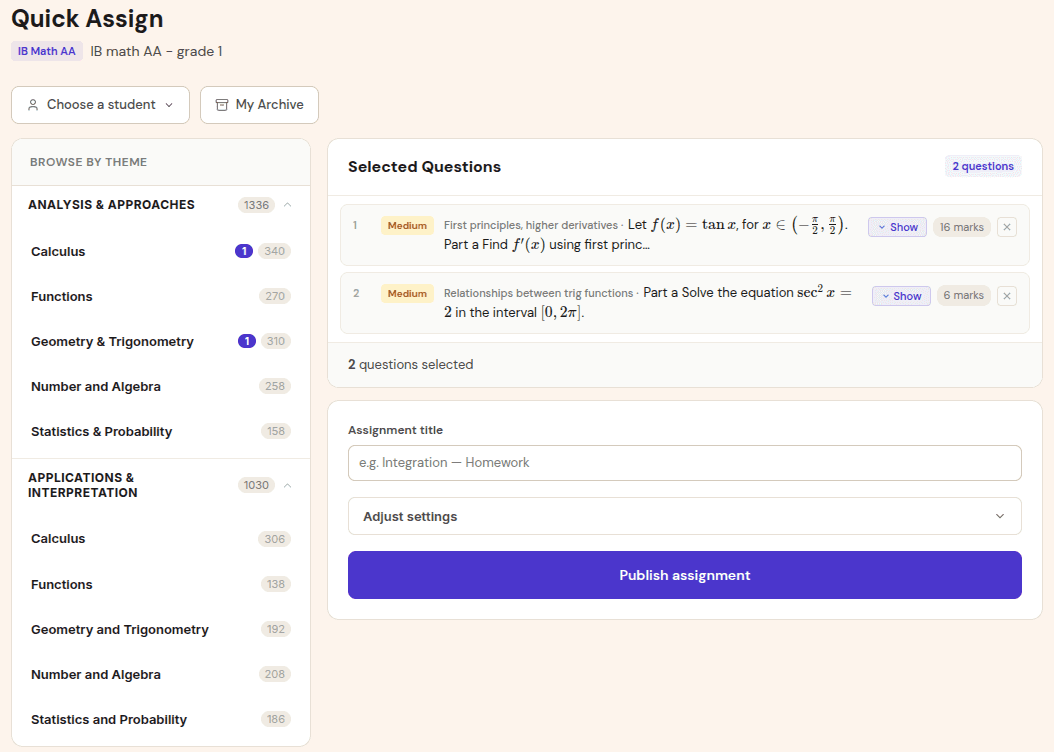
Build assignments from WAEC Mathematics topics and past-paper style questions, keeping WAEC data separate from IB, EGE, or OGE classes.
WAEC Mathematics
WAEC Mathematics is listed as a Phase 2 exam track. This page describes the intended workflow and the waitlist path for tutors and schools.
WAEC Mathematics preparation depends on repeated past-paper practice, clear working, and fast correction. Gradenza is being extended for WAEC workflows so tutors and schools can assign structured practice, collect handwritten submissions, and turn grading into topic-level reports instead of scattered notebooks and spreadsheets.
Audience
This workflow is for WAEC teachers and tutors who need to mark a high volume of handwritten practice while still giving students useful feedback.
WAEC Mathematics tutors assigning past-paper questions between sessions.
Schools preparing large cohorts and needing consistent reporting.
Teachers who want to identify weak topics before revision weeks.
Tutors managing students across WAEC and other exam tracks in one dashboard.
Workflow
The intended WAEC flow follows the same Gradenza pattern: assign, submit, grade, review, and update mastery.
Build assignments from WAEC Mathematics topics and past-paper style questions, keeping WAEC data separate from IB, EGE, or OGE classes.
Students submit page photos or scans. The workflow is designed for handwritten working rather than multiple-choice-only checking.
The report is designed to show marks, feedback, and weak-topic signals so a teacher can confirm grading quickly before release.
Topic summaries help teachers choose the next practice set and avoid spending equal time on topics students already handle well.
Benefits
WAEC revision often creates more marked work than a teacher can return quickly. The value is speed with enough detail to guide the next lesson.
Submissions, marks, feedback, and topic data stay tied to the class and student instead of living across chat apps and paper stacks.
Students can see which topics caused lost marks, while teachers see where to spend revision time.
Tutors working across WAEC and other exams can keep each student profile independent by exam and class.
Proof and trust
Gradenza does not present WAEC as a generic maths quiz tool. The track is scoped around exam-specific practice and teacher review.
Assignments carry exam and subject context, so WAEC Mathematics data is not mixed into another syllabus.
The AI grading report is a review surface for the teacher, especially while new exam tracks are being validated.
Students can submit the handwritten work they already produce for maths practice without needing a special input format.
Related resources
Continue into the adjacent workflow instead of treating this page as a dead end.
FAQ
WAEC Mathematics is planned as a Phase 2 exam track. Tutors and schools can use this page to understand the workflow and join the waitlist.
No. The workflow is designed around photo and scanned submissions so students can keep writing maths by hand.
Yes. Gradenza is designed for multiple exam systems with separate class and student profiles per exam track.
Next step
Tell us how you mark WAEC practice today so the grading reports match the workflow tutors and schools actually need.